
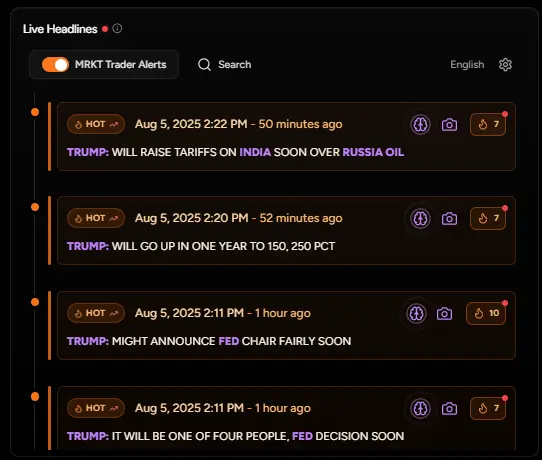
Enable the alerts toggle to filter the news stream to only high-impact stories and market-moving headlines. Focus on what matters without the noise.
Click the speaker icon on any headline to listen to news via the MacroEdge squawk service. Stay informed while keeping your eyes on the charts.
Filter headlines by categories, asset classes, or search for specific terms. Customize your news feed to match your trading focus.
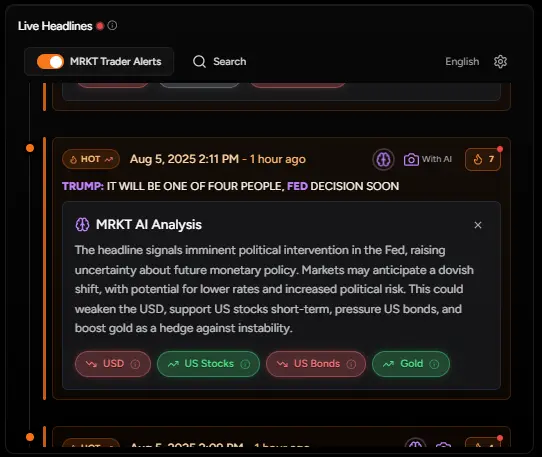
Click any headline for detailed analysis with AI-powered insights on market impact and trading implications.
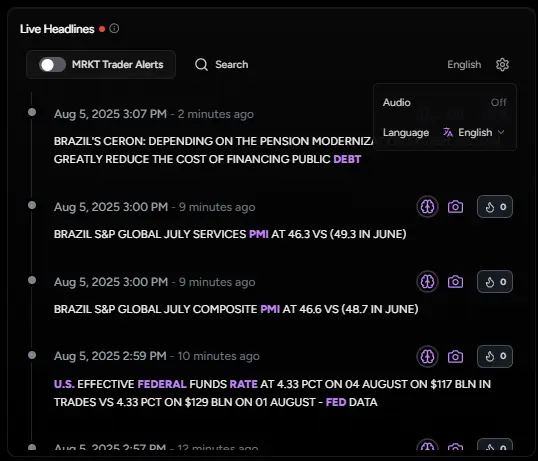
Scroll through the continuous feed of market news with timestamps. Each headline shows the source and time, keeping you up-to-date with market developments as they happen.
Toggle on MacroEdge Trader Alerts to filter for only high-impact news. This removes the noise and shows only headlines that could move markets, perfect for active trading sessions.
Click any headline to expand it and view AI-powered analysis. Get instant insights on potential market impact, affected assets, and trading implications.
Use the speaker icon to activate audio squawk for any headline. Listen to important news while keeping your focus on charts and order execution.